
Coreform IGA for Abaqus
Defeature.Mesh.Repeat.
For 50 years, FEA has started the same way: simplify the CAD, lose accuracy, mesh it, and hope the simplifications didn't matter.
We built Coreform IGA for Abaqus to fix that: still FEA, no meshing. Nonlinear analysis on as-designed CAD, inside the Abaqus/CAE you already use.
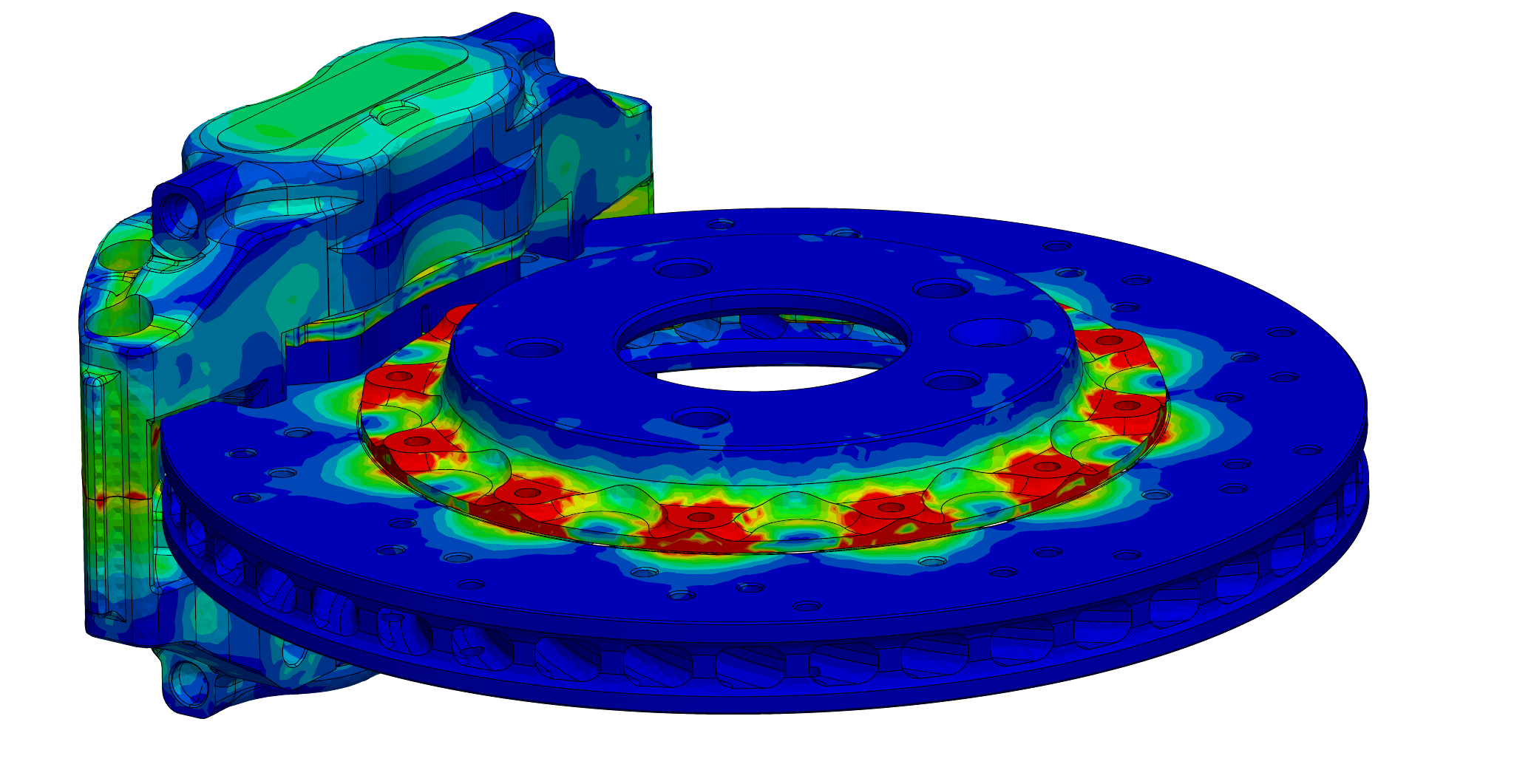
The bottleneck
Meshing is where FEA loses time and accuracy.
Actually, meshing is only part of the problem. Defeaturing, midsurfacing, and the model preparation required to build high-quality hex or tet meshes slow every design iteration. Complex parts often fail to auto-mesh at all. Coreform IGA for Abaqus removes this pain.
20 hrs → 1 min
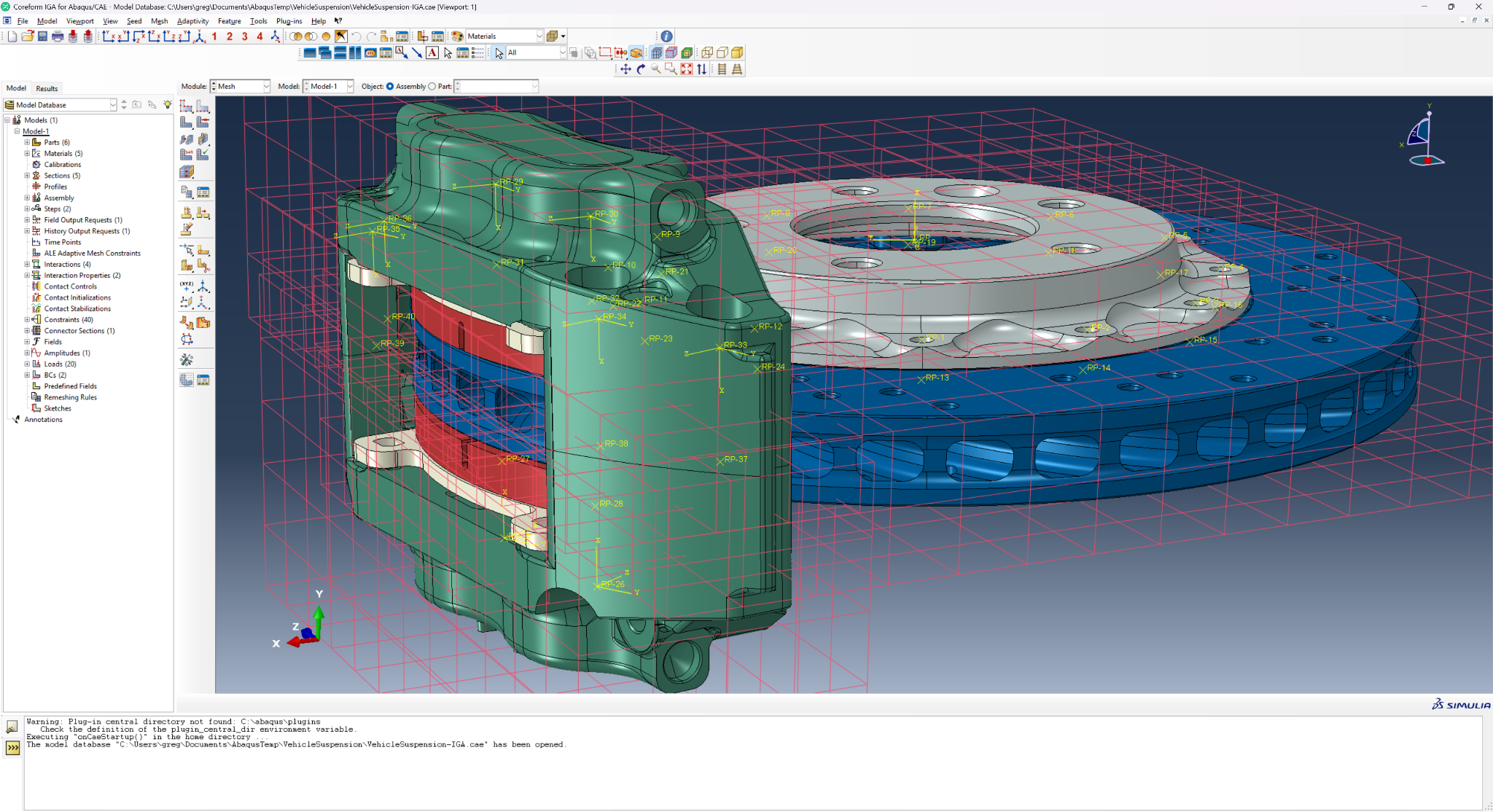
Model prep on a brake caliper in a traditional meshing tool takes roughly 20 hours and ends in a defeatured model with critical fillets removed. With Coreform IGA, model prep preserves all critical features and completes in under a minute.
Still Abaqus
Simulate with Abaqus/Standard and the same results files you use today. Get all the benefits of isogeometric analysis without disrupting your workflow.
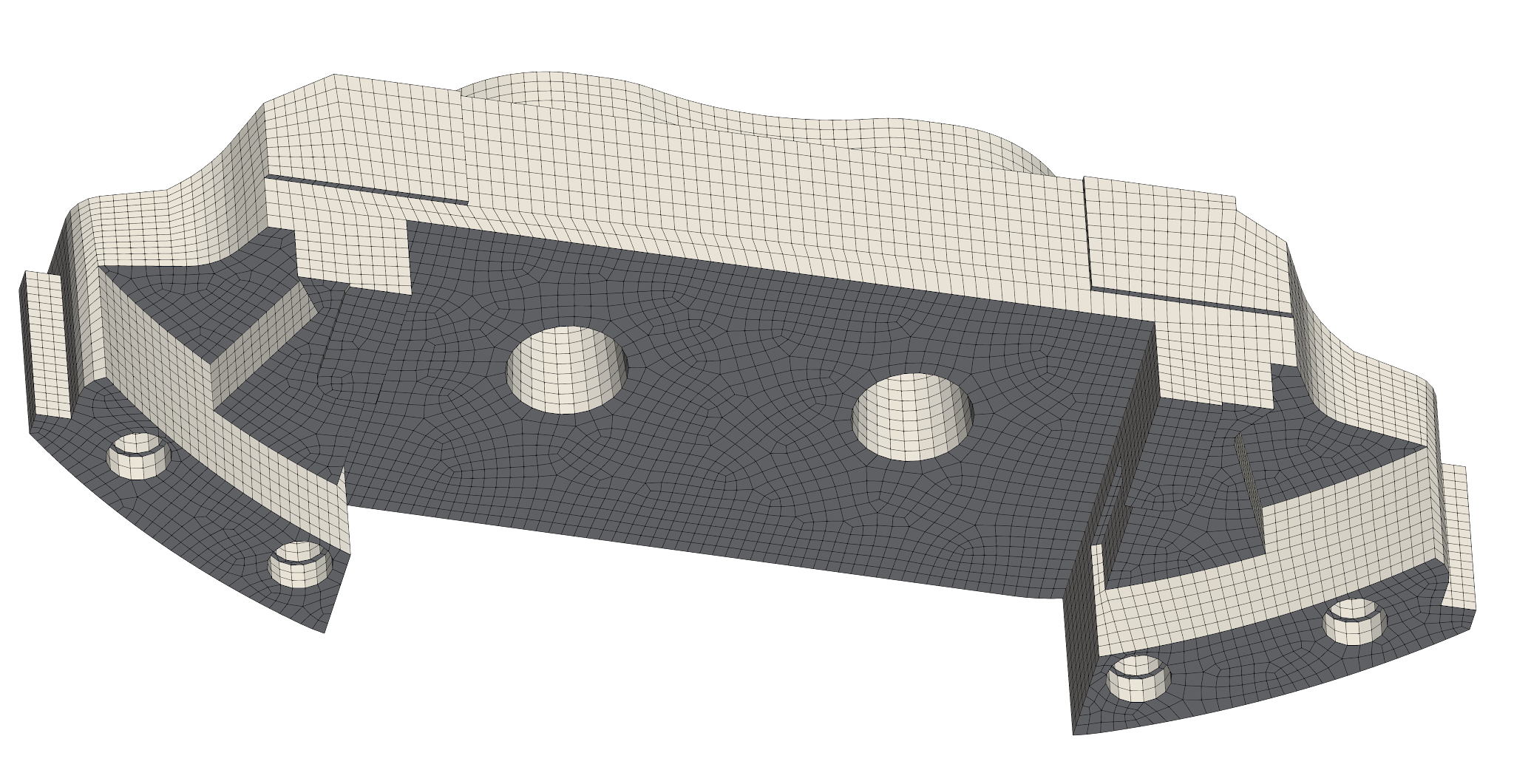
Traditional FEA
Hex mesh created from a defeatured STEP file, ~20 hrs of prep.
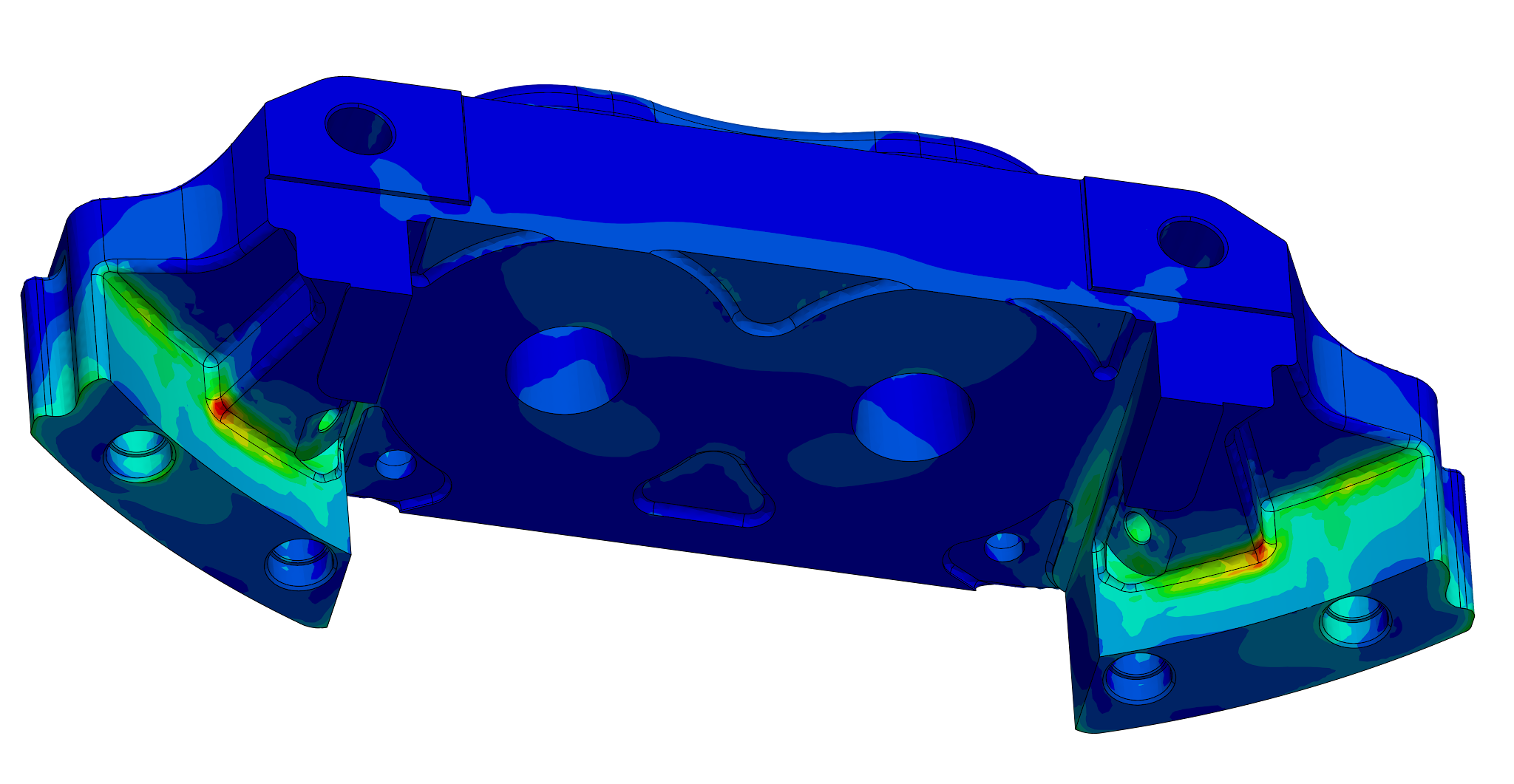
Coreform IGA
Fully-detailed CAD model simulated in Coreform IGA for Abaqus, set up with under a minute of prep.
How it works
Where did my mesh go?
Coreform IGA replaces meshing with automated, CAD-exact model building based on isogeometric analysis. Everything else is your existing Abaqus workflow.
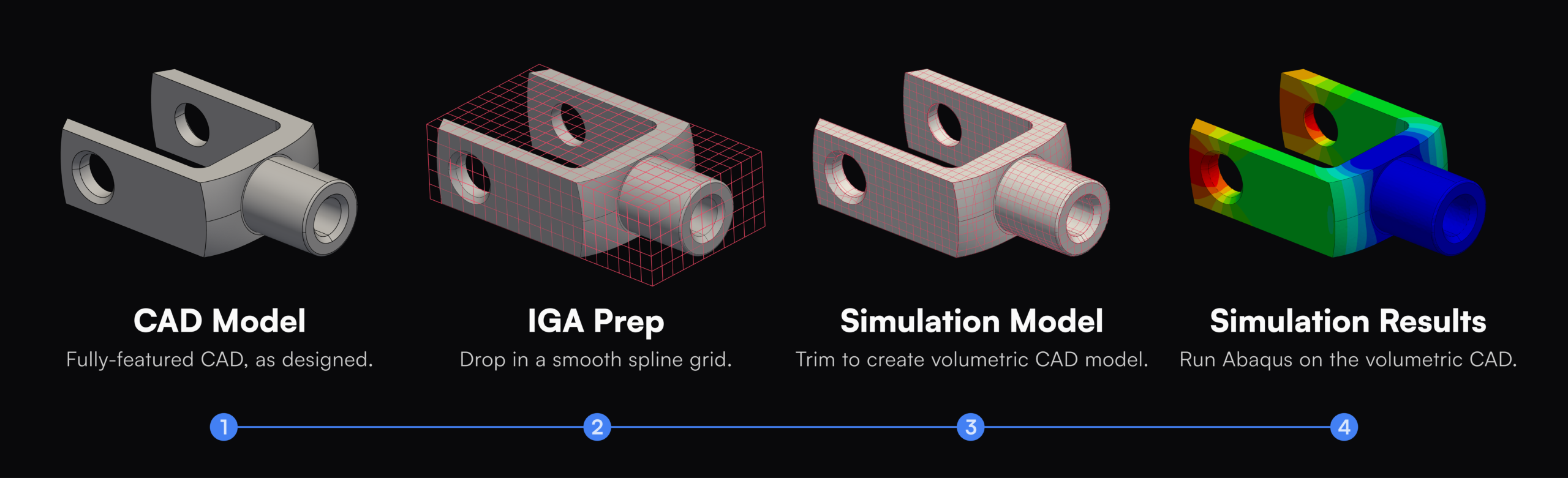
Step 01
Start with CAD
Begin from the original part, even thin-walled or highly detailed. No defeaturing or midsurfacing required.
Step 02
Immerse in splines
The CAD geometry is immersed in a smooth, high-order spline mesh for higher accuracy per degree of freedom.
Step 03
Volumetric trimming
Automated trimming conforms the spline model exactly to the CAD boundary. Analysis-ready, automatically.
Step 04
Solve in Abaqus
Run problems in Abaqus/Standard. Same results files. Same post-processing.
Abaqus integration
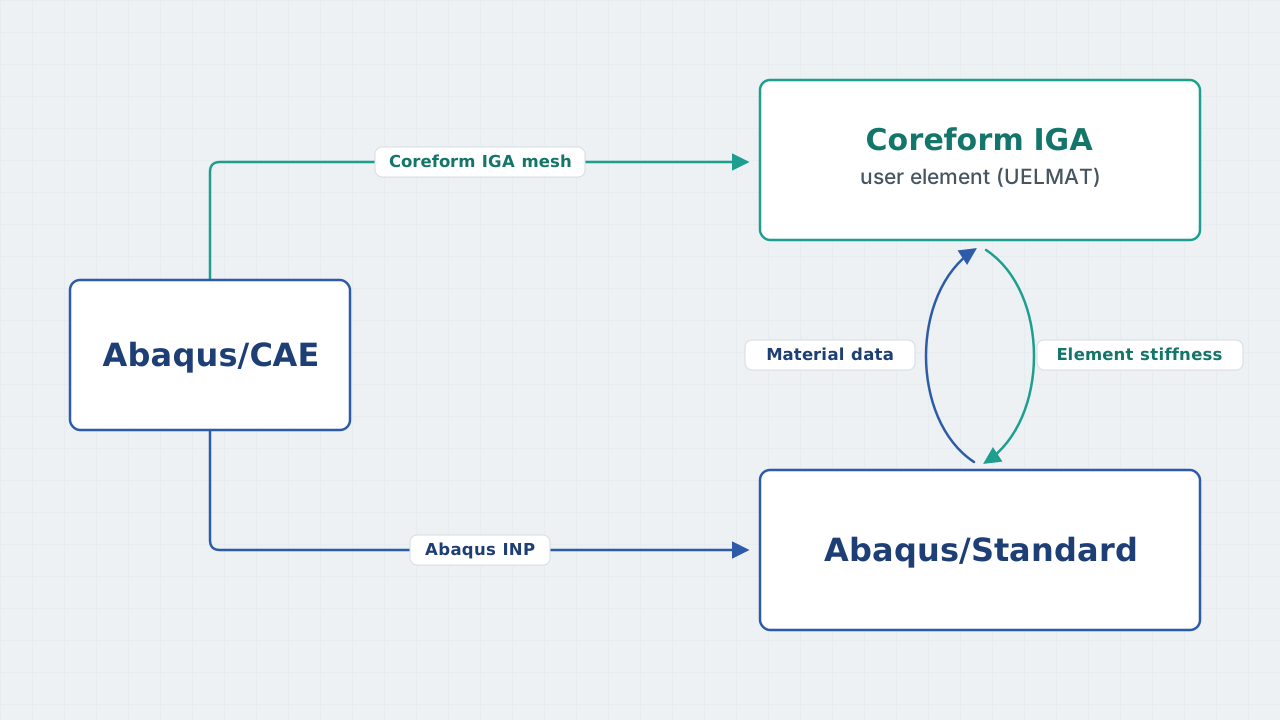
How Coreform IGA integrates into Abaqus/Standard
Coreform IGA for Abaqus integrates through Abaqus user elements (UELMAT). The spline model supplies element stiffness and material data to the solver you already use, so results and post-processing stay native to Abaqus.
Coreform is a Dassault Systèmes SIMULIA solution partner
Capabilities of Coreform IGA for Abaqus
General analysis procedures
- Linear statics
- Nonlinear static, including NLGEOM and thermal expansionBETA
- Implicit dynamic, including NLGEOMBETA
Linear perturbation
- Frequency extractionBETA
- Random responseBETA
- Response spectrumBETA
Materials and interactions
- Metal plasticityBETA
- Incompressible nonlinear elasticityBETA
- General contactBETA

Remove meshing, unlock automation.
Meshing is the step that keeps FEA from running end to end. Because model building in Coreform IGA for Abaqus is automatic and robust, it drops into optimization loops and design studies and into agent-driven simulation workflows.

Query results anywhere.
Coreform IGA probes return accurate displacement, stress, and strain at any point, line, or cloud of locations, with no mesh node placed there. Results write to JSON for Python, MATLAB, or Julia, ready for automated post-processing.

No new solver. No retraining.
Nothing new to validate against your existing methods. Analysts keep the practices and acceptance criteria they already trust.

One workflow for shells and solids.
Handle thin-walled and solid geometry the same way, instead of maintaining separate modeling paths for each.
What is IGA?
Isogeometric analysis, in plain terms.
Isogeometric analysis (IGA) uses the same smooth spline math as your CAD to represent both the geometry and the solution. The analysis runs on exact geometry instead of a simplified approximation, which means higher accuracy per degree of freedom and a meshing step that becomes automatic.
The idea has been developed and validated through two decades of peer-reviewed research. Coreform turns it into a workflow you can run inside Abaqus today.
- Analysis runs on exact CAD geometry, not a defeatured approximation.
- Higher accuracy per degree of freedom for nonlinear problems.
- One workflow across solids and thin-walled parts, with no midsurfacing.
- Built on smooth, high-order splines for robust convergence.
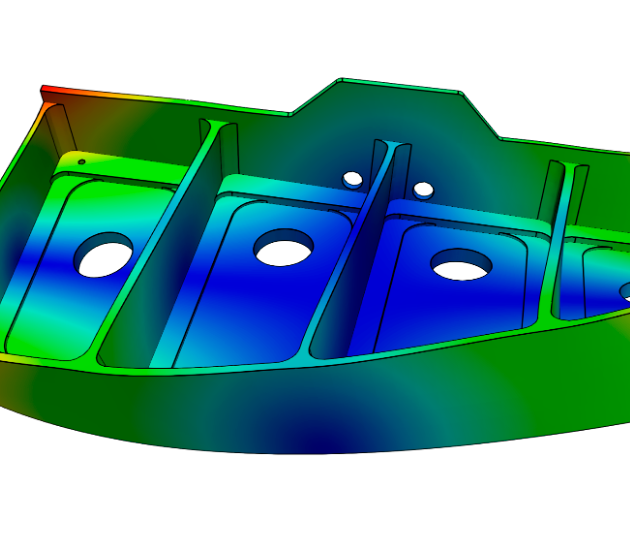
Thin-walled part
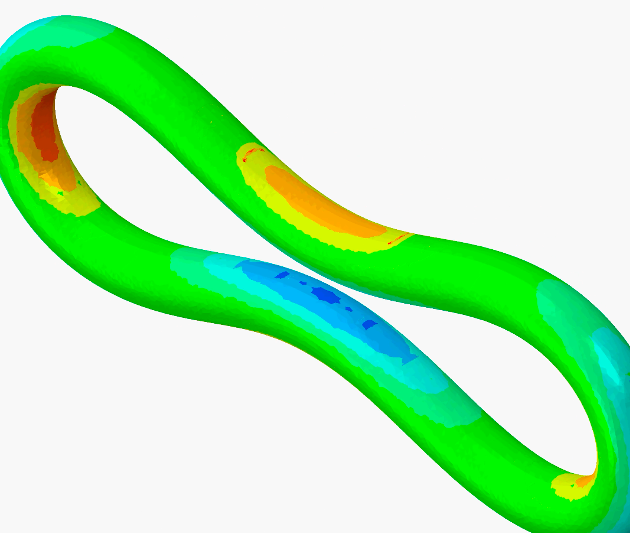
Plasticity
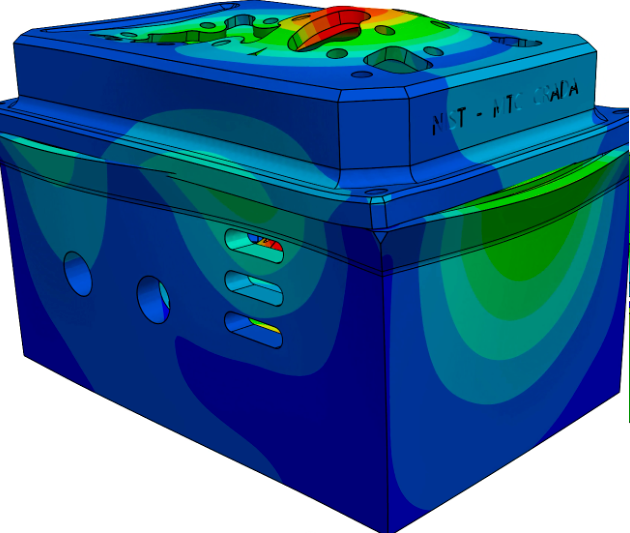
Large deformation
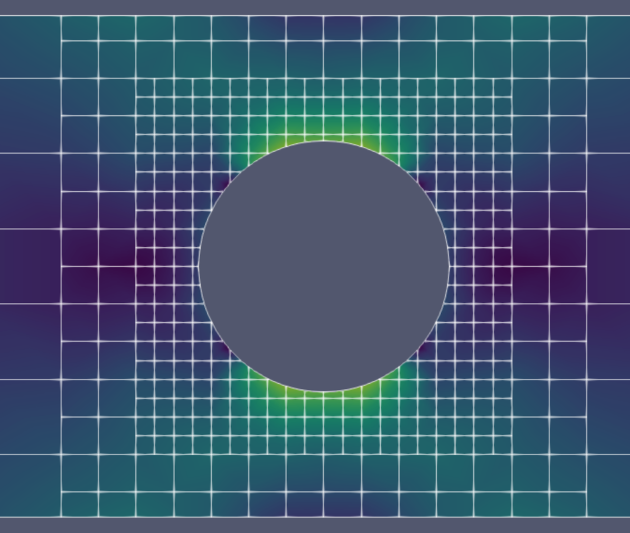
Adaptivity
Which problems fit
Complex geometry and complex physics are our sweet spot.
Geometry that is difficult or impossible to mesh well today; assemblies full of features, thin or flexible parts, and detailed castings; run with the nonlinear physics that make those models hard. These map to what our early adopters run across aerospace, automotive, and electronics.

Feature-rich assemblies
Complex parts with many ribs, fillets, and bolts, often packed into confined spaces.
Thin-walled and flexible parts
Flex cables, thin walls, and gigacastings, handled as solids with no midsurfacing. High-order elements stay accurate in bending even with less than one element through the thickness.

Casting with fine features
Cast and 3D-printed parts with detail that traditional meshing struggles to capture.

When meshing fails
Cases where auto-tet-meshing breaks down, or where defeaturing eats your schedule.
On LinkedIn
Follow the rollout in the open.
We are sharing progress, demos, and answers as we launch. Here is a curated look at what we are posting and how practitioners are responding.
// Curated and maintained by Coreform. We mirror selected public posts and comments and link back to each original.
Questions
The questions analysts ask first.
Short answers to the things we get asked the most. We would love to answer your specific questions about your own models, please reach out and we'll connect.
What is isogeometric analysis (IGA)?
IGA runs the simulation on the same spline math your CAD is built from, instead of on a separate, approximated mesh. The practical payoff is significantly less preprocessing time while keeping solve accuracy (and even improving accuracy per degree of freedome). It is still a finite element method.
How is IGA different from running FEA on a tet mesh?
Both IGA and FEA are Galerkin finite element methods, so with refinement they converge to the same answer. The differences are continuity and conditioning. A tet mesh is effectively C0 between elements; IGA splines are C1 with quadratic bases and C2 with cubic. That smoothness gives well-conditioned systems, so nonlinear problems tend to converge with fewer tweaks.
Which CAD and preprocessors does Coreform IGA for Abaqus support?
Coreform IGA supports fully-featured CAD inside Abaqus/CAE today. It works on any CAD that can be imported into Abaqus/CAE. Please contact us if you would like support for additional preprocessors.
When is Coreform IGA for Abaqus available, and what does it cost?
Coreform IGA for Abaqus is availability in late July 2026 and requires Abaqus 2026 to run (it runs best with the latest Abaqus hotfix). Commercial and academic licensing options are available. It is a separately licensed plugin, available from Coreform and from a growing number of Abaqus resellers. Contact us for early adopter pricing.
Request evaluation
Fill out the form to contact us about Coreform IGA for Abaqus. We'll get back to you to discuss next steps.
Looking for a Coreform Cubit evaluation? Go here instead.