
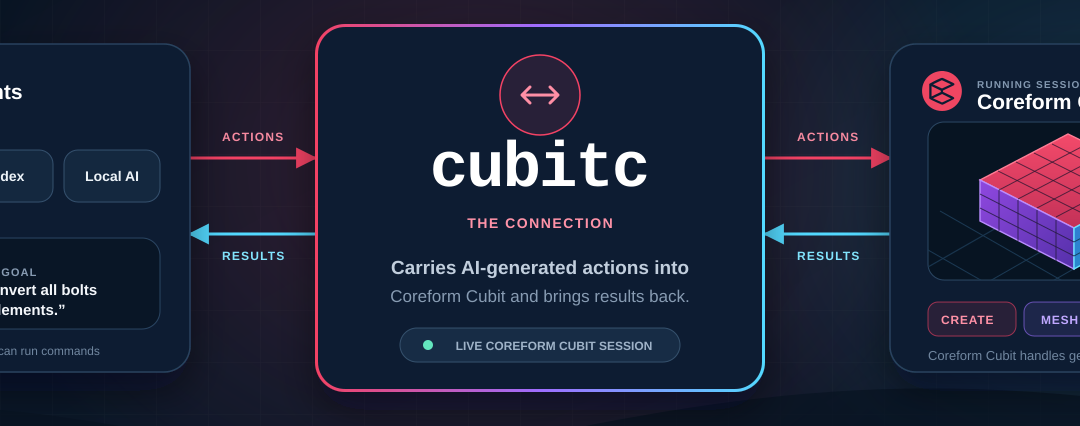
Coreform Cubit 2026.8 adds a remote procedure call (RPC) interface that lets an AI agent work with a running Cubit session. An engineer can describe a finite element analysis (FEA) preprocessing task in plain language, and a connected agent can run Cubit commands, read the results, and use that feedback to decide what to do next.
Connect an AI agent to Cubit
To get started, launch the Cubit graphical application with the -rpc option. Then point an AI agent that can run shell commands to cubitc, the command-line client included with Cubit. The agent can issue Cubit commands and use the Python API through the running session. The model stays in Cubit, where the engineer can see changes in the graphical interface.
For example, an engineer can ask the agent to inspect a mesh, try a change, and report what Cubit returns. The same interface can help build and refine a script for a preprocessing workflow the team runs repeatedly. See the AI agent setup and requirements for connection instructions.
More control over geometry and meshing
Cubit can now automatically select polyhedral meshing for eligible volumes. Polyhedral volumes can also share boundaries with mapped, submapped, and swept regions. New options for anisotropic sizing on conical geometry give users more control over element dimensions in different directions.
A new webcut offset operation partitions geometry by offsetting selected surfaces, which can help create regions for boundary layer meshing. The release also adds tools to select, diagnose, and remove protrusions.
For the full list of changes, see the Coreform Cubit 2026.8 release notes. You can download Coreform Cubit or request a trial to try the workflow on your own model.