ITEM Tutorial Step 9
Step 9: Export the Exodus Model
Cubit primarily supports the Exodus format for mesh export. But there are also limited export abilities for other formats as well. For a list of export capabilities see Exporting the Finite Element Model
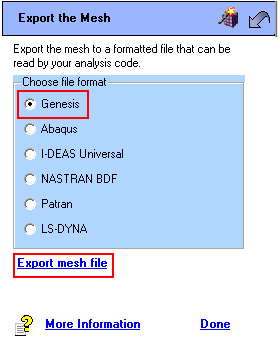
- Click on the Export the Mesh link from the main ITEM task page
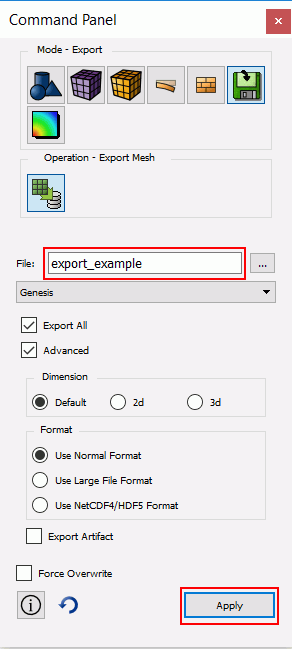
- Set the export type to Genesis. This opens the export mesh dialog box on the command panels.
- Assign a filename
- Click Apply (all blocks will exported by default).
Congratulations on completing the ITEM tutorial. Click on the arrow to return to the main tutorial page.

