Assembly Tool
In Cubit versions prior to 15.4 assembly data was managed on the model tree. Beginning with Cubit version 15.4 a power tool for assemblies is available.
A detailed, command-based discussion of assemblies and metadata can be found here.
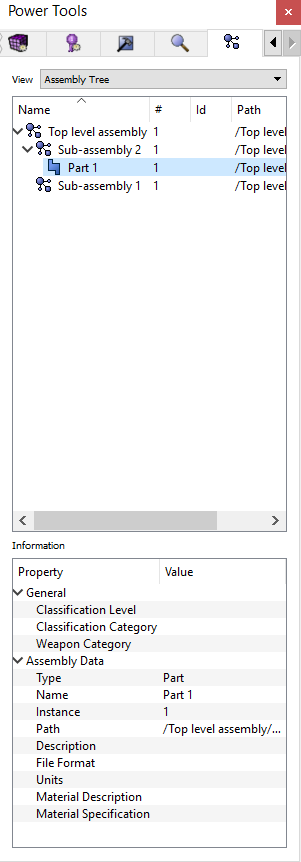
Figure 1 - Assembly Power Tool
Like all other power tools in Cubit, the user is encouraged to experiment with the various options found in context menus. The context menus are specific to the entity type selected.
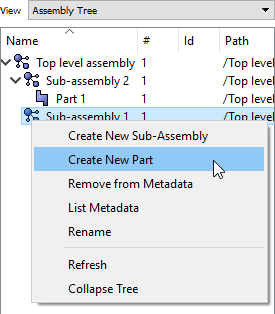
Figure 2 - Assembly Context Menu
Metadata Attributes
Users have access to the following attributes:
- Type - The metadata type: Assembly, Sub-Assembly or Part
- Name - The name for the assembly or part. This can be edited from the property window
- Instance - The numeric value associated with the part or assembly
- Path - The absolute path of the part or assembly
- Description - The description of the part or assembly
- Material Description - The name or description of the material of which this part is composed
- Material Specification - The formal specification number of the material of which this part is composed
- File Format - The name of the file system containing the original version of this entity
- Units - The unit system of this part or assembly
Another View
At the top of the tool is a pull down menu. This allows the user to change from the full assembly view to a parts view.
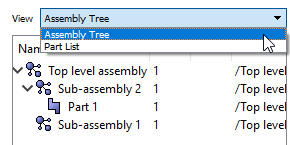
Figure 3 - Pull down Menu